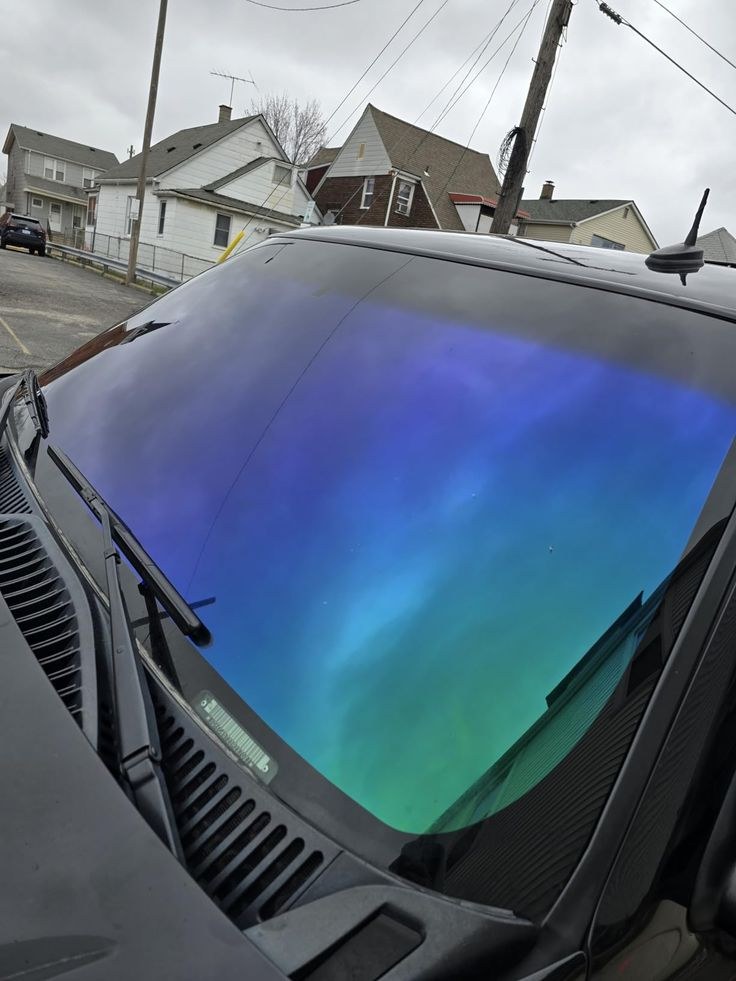
Why generic scheduling apps fall short for tint and PPF shops
Most scheduling apps were built for plumbers and lawn crews. They handle a job, a time slot, and an invoice. That works fine until a customer calls asking for a quote on a four-door sedan with a ceramic package and a lifetime warranty, and the app has no idea what a "window" is, let alone how many a Tesla Model Y has.
Tint and PPF work is priced by vehicle, by film type, and by coverage. A scheduling tool that treats every job as one flat line item forces you to build the quote by hand every time, in a text thread or a phone call, and then copy it into the calendar after the fact. That's two systems doing one job badly.
What a tint shop actually needs software to do
A tint or PPF shop needs software that understands the shape of the business, not just a calendar with boxes. At minimum:
- Quote by vehicle type and package (front two, full car, PPF partial front, full wrap) without rebuilding pricing every time
- Collect a deposit at the time of quote, not after the fact
- Send automatic appointment reminders so customers don't forget they booked a half-day job
- Track warranty terms per job so a customer calling about bubbling two years later is easy to look up
- Let a tech capture before-and-after photos, since tint and PPF work lives and dies on proof of condition
If your software can't do most of that, you're running the shop around the software instead of the other way around. Our detailing scheduling app guide covers the same gap for detailers, and most of it applies directly to tint and PPF too.
How tint shops are pricing and running specials today
Most shops build pricing around a small number of fixed packages by vehicle size: a basic tint package, a mid-tier with a lifetime warranty, and a premium ceramic film tier. On top of that, shops add per-window pricing for extras like a sunroof or back glass, and a mobile fee if the install happens at the customer's driveway instead of the shop.
Specials matter in this business because tint is seasonal and PPF is a bigger-ticket, slower-decision purchase. A clear, published package list that a customer can see before they call cuts down on the "how much is this" calls that eat your front desk's day. If your pricing only exists in your head or a sticky note, your quote tool should pull from a built set of packages, not start from scratch every time.
Getting paid: deposits, text-to-pay, and why the deposit comes off the total
A deposit at booking does two things: it filters out tire-kickers, and it protects the hour you blocked for a full PPF front-end install. The deposit should come off the final total automatically, not get tracked separately in a notebook or a spreadsheet.
The fastest version of this is a quote that goes out by text with a deposit link attached, so the customer can pay from their phone in the same thread they asked the question in. Service Launch's Get a Quote tool builds a quote from your packages and texts it in under two minutes with a deposit attached, so the deposit is already collected by the time you'd normally still be typing the quote.
If you want the free setup call to see how that works for your package list, call us and we'll walk through it on your actual pricing.
The no-show problem and how automated reminders fix it
A tint or PPF job isn't a 20-minute wash. It's a blocked bay, a tech, and film that's already cut. A no-show on a full-car PPF job costs more than a missed oil change.
Automated text reminders the day before and the morning of cut this down without anyone on your team having to remember to send them. The reminder should go out from the same number the customer already texted with, so it doesn't look like spam and doesn't get ignored.
Tint-specific vs. all-in-one tools
There are tools built specifically for tint and PPF shops, and there are general field-service platforms built for every trade from HVAC to landscaping. The tint-specific tools usually get vehicle-based quoting right out of the box. The general platforms usually have better scheduling, payments, and reporting, since they're built on more volume and more years.
Neither category was built to also run your ads tracking, your payroll, your books, and your reviews in the same place. That's usually five or six logins: a scheduling tool, a payments processor, a separate texting app, a bookkeeping tool, and a spreadsheet for marketing spend. Each one is fine on its own. Together they're a lot of tabs for a shop with three bays and two techs.
What shop owners complain about most
Talk to enough tint and PPF shop owners and the complaints repeat:
- Per-technician or per-user fees that punish growth, so adding a second installer means a bigger bill
- Pricing that isn't published anywhere, so you have to book a demo just to find out the cost
- Quote forms with six or seven steps before a customer sees a number, which kills mobile conversions
- No way to see which ad or which offer actually brought in the booking, so marketing spend is a guess
None of these are hard problems to fix. They're just not priorities for tools built for every trade in the country. Our auto detailing CRM piece digs into the same pattern in more detail.
A simpler way to run a tint or detail shop in one app
Service Launch is one app built for detailing, tint, PPF, ceramic coating, and boat detailing businesses, mobile or shop. Scheduling and dispatch, two-way texting from your business number, Get a Quote with a built-in deposit, an online booking page, payments and receipts, payroll, and Books with a connected bank account and a real profit and loss.
It also tracks Meta and Google ad spend by campaign and offer, so you know which special actually paid for itself. The technician app captures before-and-after photos and condition reports on every job, which matters for warranty disputes and for showing a customer what their PPF looked like before you touched it. AI handles recommendations and the small back-and-forth texts so your front desk isn't typing the same answer for the fifth time today.
It was built inside Digii Mobile Detailing, a real detailing company I run, where every piece of this shipped on real jobs before it went into the product. Plans are month to month, shown plainly on the pricing page, and there's a free 15-minute setup call if you want to see your own pricing and packages loaded in before you decide anything. Call us and we'll get it set up together.
If you're still weighing what actually matters in a platform before you switch anything, our 2026 detailing software guide and mobile detailing software piece both walk through the same checklist from a different angle.
Try it on your own jobs, free for 7 days
$0 today. We move your customers and jobs over from the software you use now and help you set up during the trial. Cancel before day 7 and you pay nothing.
Start my 7-day free trialQuestions detailers ask
What software do tint shops use to send quotes?
Most shops either build quotes by hand in a text thread or use a tool that generates a quote from saved packages by vehicle type. Service Launch's Get a Quote feature builds the quote from your packages and texts it with a deposit attached in under two minutes.
Do I need different software for tint versus full detailing?
Not necessarily. The core needs, quoting by vehicle, deposits, reminders, and photo documentation, are the same whether the job is tint, PPF, ceramic coating, or a full detail. One platform that covers all of them avoids running separate systems for each service line.
How do deposits work for tint and PPF bookings?
A deposit is collected when the quote is sent or the appointment is booked, and it's subtracted from the final invoice total automatically. This protects the blocked time slot, since PPF and full-car tint jobs can take a half day or more.
Can window tint software track which ads are working?
Some all-in-one platforms track Meta and Google ad spend against actual bookings, broken down by campaign and offer, so you can see which special brought in paying jobs instead of guessing from total ad spend.
Is there a free trial or setup call before switching software?
Service Launch offers a free 15-minute setup call to walk through your packages, pricing, and current workflow before you commit to anything. Plans are month to month and shown on the pricing page.